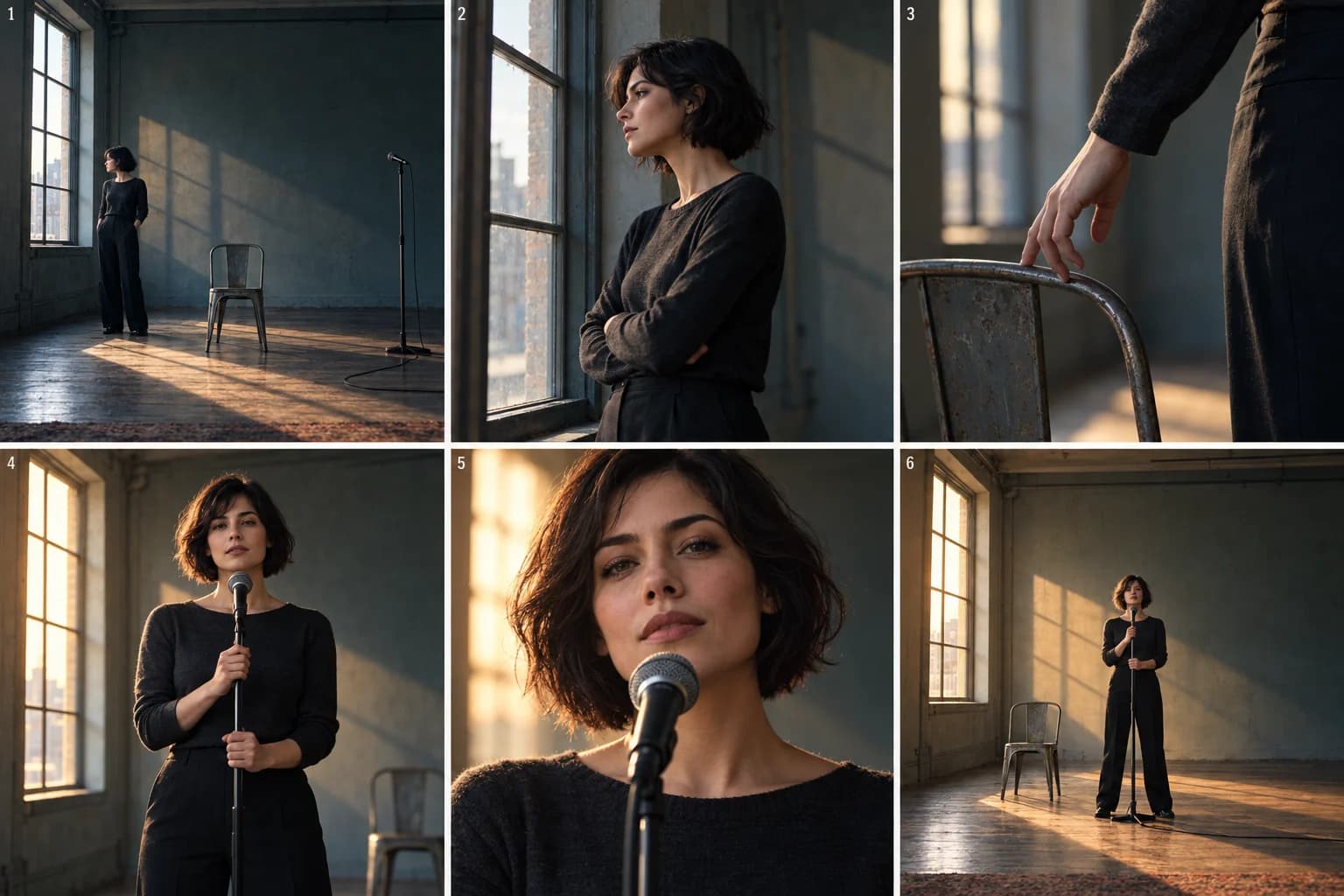
An empty room can feel distant in one shot and intimate in the next. You do not always need another location. You need a reason for the audience to see the same place differently.
This one-room music video treatment follows a singer who gradually stops hiding from the camera. The room, outfit and performer stay the same. Position, framing and light carry the change.
Last Light is a fictional teaching concept, designed for an intimate song that builds toward a more open final passage. The images are AI-generated concept illustrations, not VibeMV video results. The sample directions below are untested. Use the musical changes in your own song; the six beats are a visual plan, not a required shot count or fixed timeline.
The treatment: Last Light
A singer rehearses alone in a room she seems reluctant to occupy. At first, the camera watches from a distance as she faces the window. Small gestures reveal tension: a held shoulder, a hand gripping the back of a chair, a glance that stops short of the lens.
As the performance opens, she leaves the edge of the room and moves toward a microphone in its center. The framing becomes closer and warm light gradually reaches her face. The room does not turn into a stage; her presence changes how it feels.
We end on the same wide view as the opening. This time she occupies the center, facing us. The empty chair remains in view. What first looked like isolation now looks like space she has chosen for herself.
The core decision is distance becoming connection. A new camera angle earns its place when it develops that idea.
Six visual beats, from withdrawal to presence
The numbered concept images below follow the story in pairs. Select an image to view the full board.
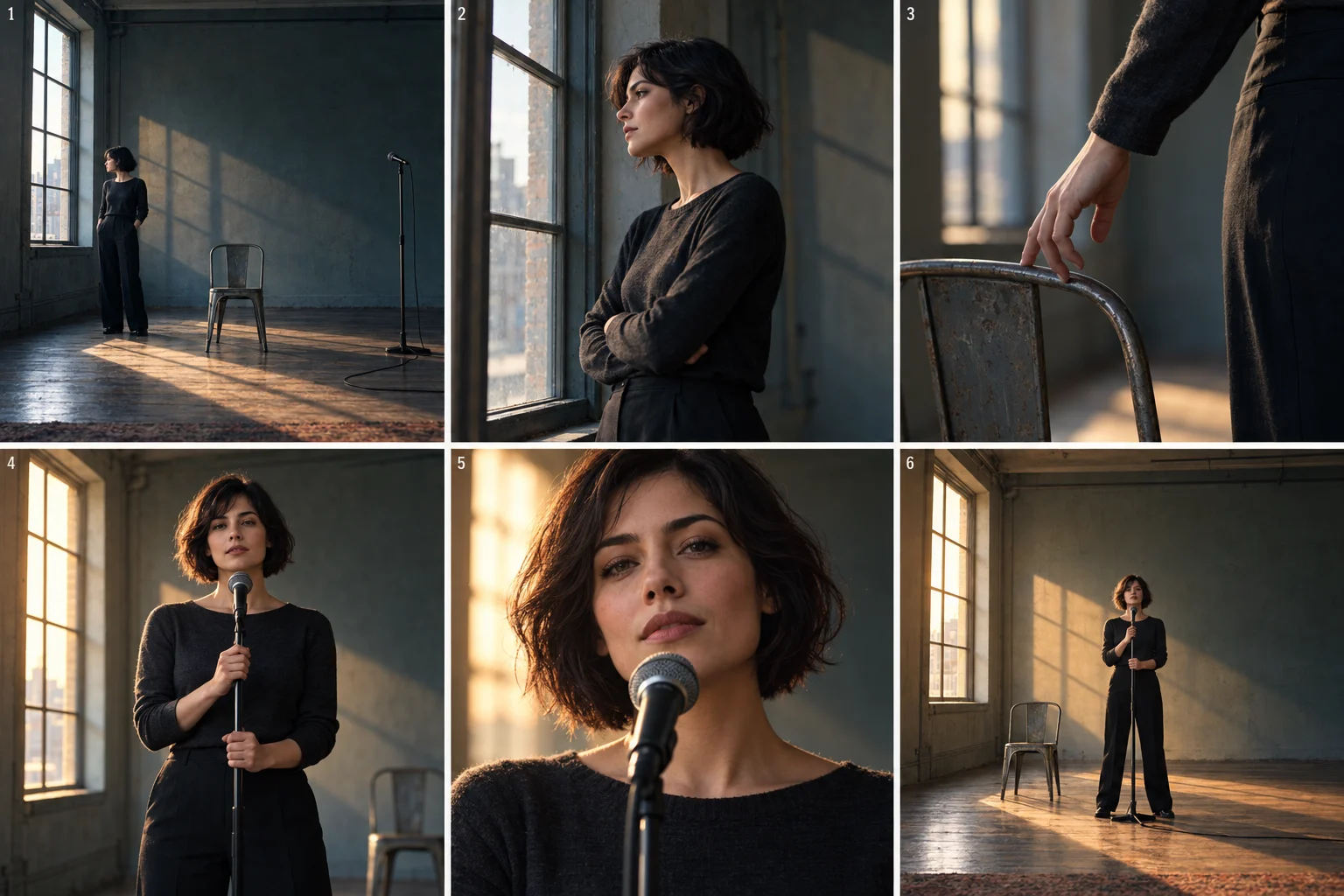
1. Let the room be bigger than the singer
Start wide. Place her near the window, with the chair and microphone visible elsewhere in the room. She looks away from the lens. Hold long enough for the audience to understand the space. The empty center gives her somewhere to move later.
2. Move closer without offering connection yet
A medium side view makes her expression readable while preserving the window as a landmark. Keep the posture contained. If the song has a quiet vocal opening, this could be a vocal-performance shot; otherwise it can remain an observational portrait.
3. Give the first change to a small gesture
Cut to her hand releasing the chair. It is a small physical answer to the held tension. A chair insert belongs here because it advances the story; a random lamp or ceiling shot would only decorate the room. You can imply the release with separate held images if the hand action does not work convincingly.
4. Bring her into the center
Return to a medium view at the microphone. For the first time, she looks toward the camera. Let this meet a meaningful rise in the song, rather than assuming every first chorus needs the same reveal. Warmer light reaches her shoulders, but the window and room remain recognizable.
5. Let the face carry the peak
Use the closest portrait when the performance has something to say. Keep her face clear of the microphone. An expressive still camera can be enough; an orbit, zoom and body turn all at once would compete with the moment. If the shot must show synchronized singing, plan it as a Lipsync shot and inspect the actual result with sound.
6. Repeat the opening with one important difference
Return to the wide room. Keep its geography familiar, but place her at the center with a more open posture. The audience can compare the two images. Ending with a new location would lose that visual payoff.
What keeps this from becoming six similar portraits?
Each beat changes a different relationship: person to room, camera to face, hand to object, performer to audience. Keep the dark outfit, chair, window and microphone consistent so those changes stay legible.
Do not warm every shot immediately. If the opening already feels triumphant, the final image has little left to resolve. Similarly, save the closest framing for a moment that deserves it. The song may call for a quieter ending; in that version, she can return to the window by choice instead of finishing at the microphone.
This concept is less suitable when the song depends on a plot involving other people, a travel narrative or detailed group choreography. It also does not make vocal synchronization or character continuity automatic.
Put this direction into VibeMV
Set the singer in AI Producer → Main character, using a suitable image and/or Character notes. Put the story in Preferences → Story direction. For this concept, a starting direction could be:
One singer in one spare rehearsal room, with a tall window,
a metal chair and a microphone. Keep the same dark outfit.
Begin with distant, withdrawn framing. Gradually move toward
direct connection, ending on a wide view with the singer centered.
Use a hand-at-chair detail as the turning point. Keep the room
recognizable; do not introduce other people or locations.
The product analyzes musical structure; it does not infer this fictional story from the lyrics. Add the meaning you want explicitly, then review the resulting Creative plan. Check the planned sequence against your song before applying it.
For beat 4, separate the still image from movement:
Image prompt — in the Creative plan, or the Workspace Image step's Generate image text box after applying the plan:
The selected singer in the same charcoal outfit, centered at
a microphone in the established rehearsal room. Medium frontal
framing, face clear, warm window light reaching her shoulders.
The metal chair remains to her left.
Optional Video prompt:
She lifts her gaze toward the lens and holds an open posture.
Keep the camera still and the face visible.
Choose Lipsync if this is a synchronized vocal performance; writing “singing” in a Scene prompt is not a substitute. Check Reference Images and each Start frame for room layout, clothing and framing. Evaluate a representative quiet shot and a vocal peak before extending the approach. Creating or applying a Creative plan is free; generating or regenerating images and videos uses credits.
For reference setup, use the character planning guide. For timing a sequence to your own track, use the storyboard guide and blank CSV.
Adapt the idea without copying the room
Keep the emotional movement and change its expression. A confident song could start centered, then let the singer leave the microphone and explore the room. A song about grief could retain the distant camera while changing how the singer relates to an empty chair. Choose one interpretation before adding props.
Write down your opening and ending as two plain sentences. If the difference is only “more cinematic,” make it more specific: who has moved, what can we now see, and why does that matter?
Frequently asked questions
How do you make a one-room music video interesting?
Let framing, the performer's position and light change with the emotional arc. Keep recognizable features of the room so each change feels connected. Give repeated compositions a different meaning rather than adding movement to every shot.
Is this an actual VibeMV-generated music video?
No. Last Light is a fictional teaching treatment. Its concept illustrations explain the intended sequence; they are not frames from a generated video, and the example prompts have not been tested as a sequence.
Compare this with a story built around one object or a performance split between two visual worlds. Return to the treatment examples guide to choose an approach, or start a project from your song.
For a setting with a stronger period-inspired look, continue to the record-shop treatment.
More Posts
Dreamlike music video: a surreal treatment with a clear story
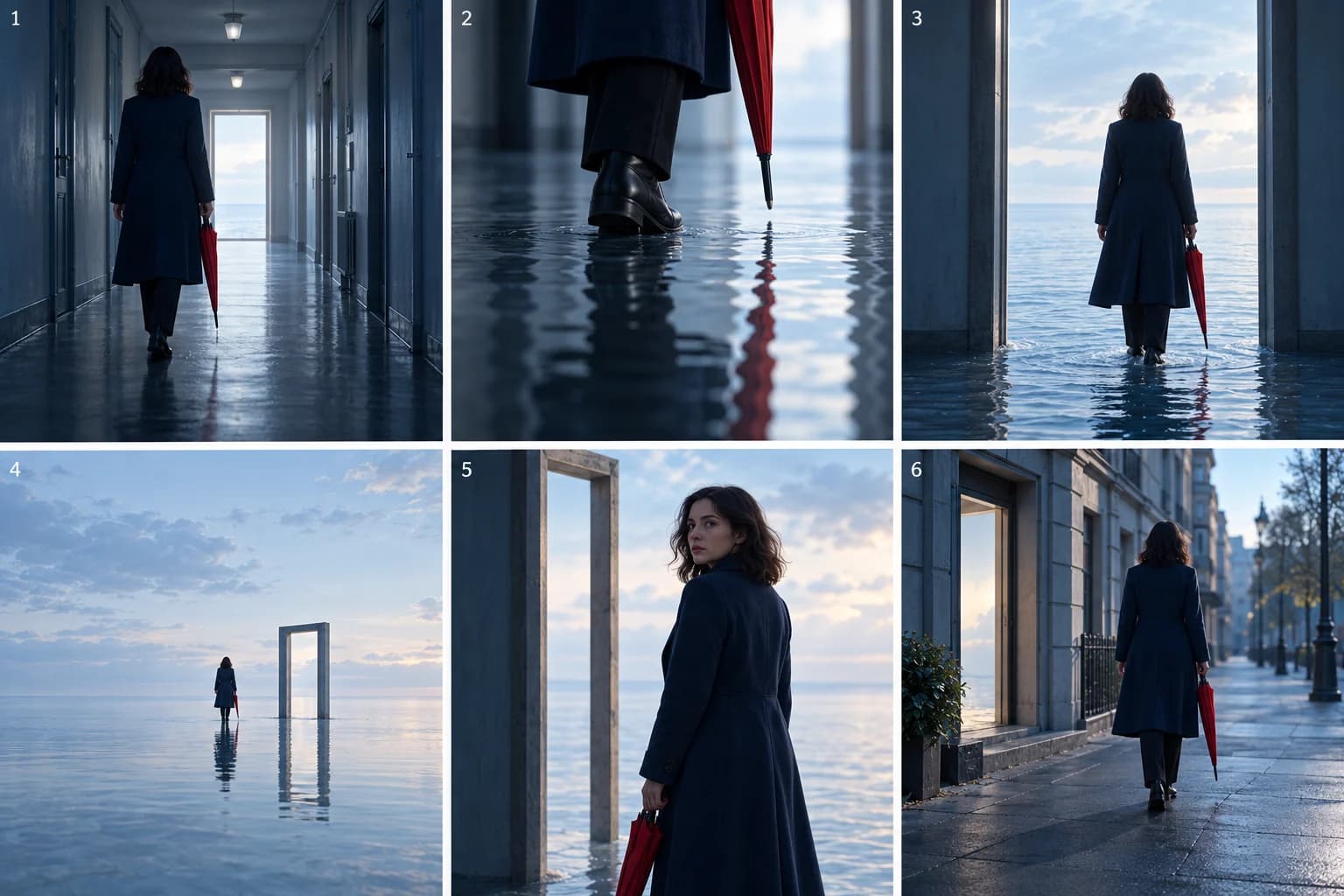
Plan a dreamlike music video that holds together. Follow a corridor-to-sea concept using recurring shapes, a clear journey and six illustrated beats.
Narrative loop music video: repeat a scene, change its meaning
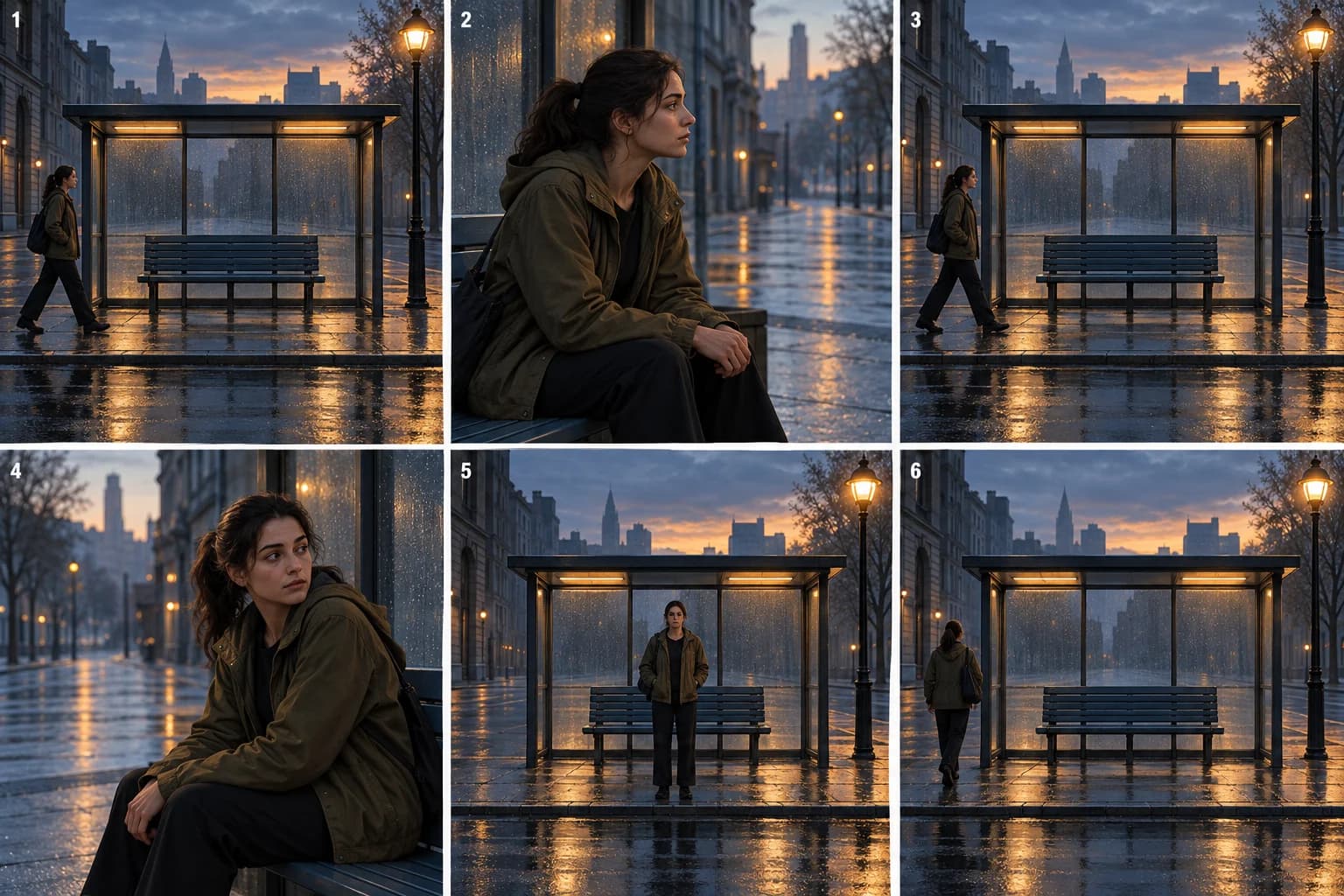
Build a narrative-loop music video around a recurring street scene. Follow six illustrated beats and learn what to repeat, change and resolve.
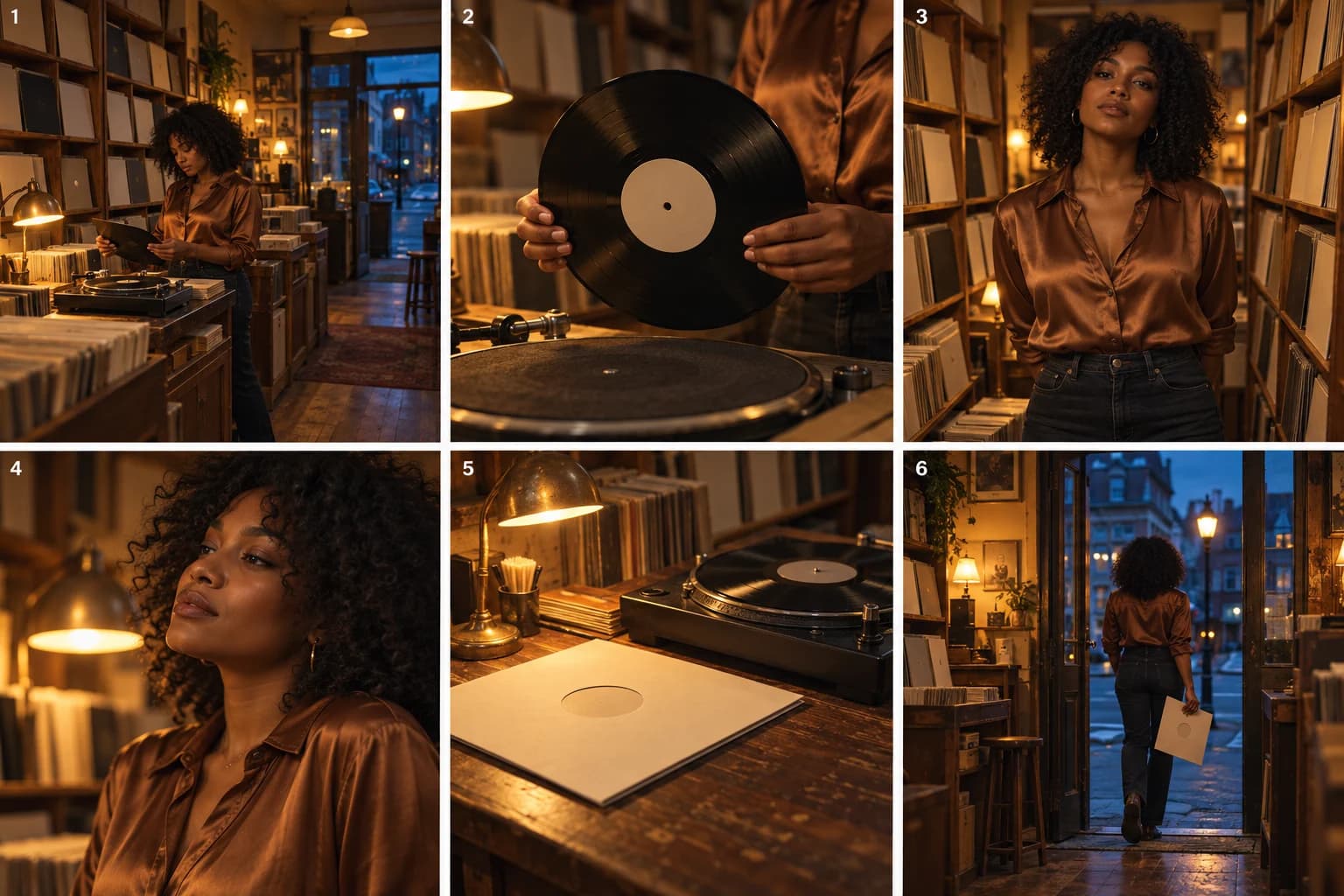
Retro music video: build a look that belongs to the story
Plan a retro-inspired music video through a record-shop story. Connect props, lighting and framing with six illustrated beats and practical VibeMV directions.