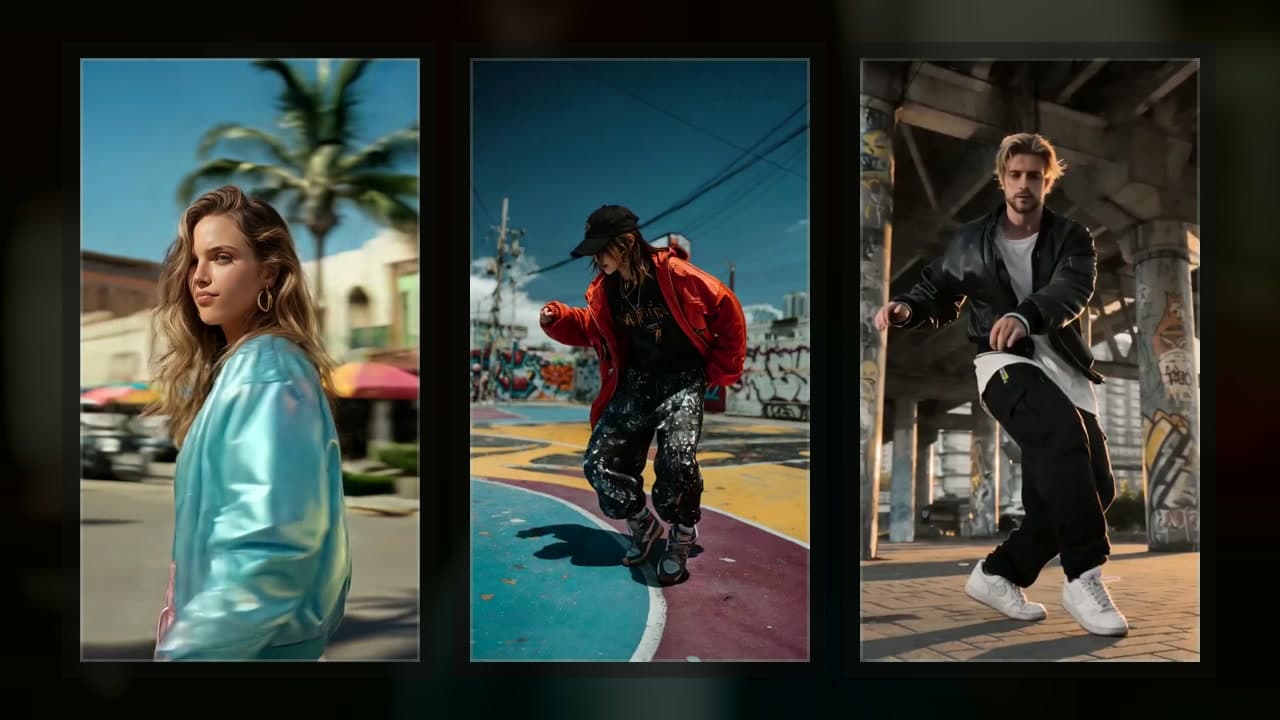
Best AI Music Video Generator 2026: Top 10 Compared
Compare the 10 best AI music video generators of 2026 with hands-on testing. Features, pricing, lip-sync quality — find the right tool for your budget and genre.


We tested all 10 major AI music video generators side-by-side in early 2026. VibeMV is the best choice for musicians who need automatic lip-sync and audio segmentation, with pricing from $19/month. Freebeat leads in volume production with 6 video modes and 1M+ creators across 200+ countries (per Freebeat's March 2026 announcement). Runway Gen-4.5 delivers the highest raw video quality at $12/month. Neural Frames is best for EDM and electronic music with real-time audio-reactive visuals. Prices range from free (Pika, Freebeat, VibeMV free tiers) to $200/month (Sora via ChatGPT Pro). Music-specific lip-sync accuracy has improved significantly since 2024, with leading platforms now producing noticeably more natural mouth movements. Full-song AI video generation now takes 5-15 minutes for a 3-4 minute track.
The best AI music video generators in 2026 are VibeMV (best for musicians with lip-sync), Freebeat (best for high-volume creators), Runway (highest video quality), and Neural Frames (best for EDM/electronic). Here's our comparison based on hands-on testing of all 10 tools, with specific feature data, pricing, and benchmarks to help you choose the right platform for your creative needs.
Quick Comparison Table
| Tool | Best For | Lip-Sync | Min Price | Music Focus | Max Duration |
|---|---|---|---|---|---|
| VibeMV | Musicians with auto lip-sync | Yes (music) | Free/$19 | High | 5 min |
| Freebeat | High-volume creators, 6 modes | Yes (90%+ accuracy) | Free/$26.99/mo | High | 6 min |
| Runway | Professional filmmakers | Yes (post-prod) | $12/mo | Low | 5-16 sec/clip |
| Neural Frames | EDM/electronic artists | No (audio-reactive) | $19/mo | Audio-reactive | Full track |
| Kaiber | Abstract/artistic content | Yes (image) | $5/mo | Medium | 4 min |
| Pika Labs | Quick video generation | Yes (ElevenLabs) | Free/$8/mo | Low | 10 sec/clip |
| Luma Dream Machine | Cinematic visuals | No | Free | Low | 10 sec/clip |
| Kling AI | Longer continuous clips | Yes (native sync) | Free | Low | 2 min |
| Sora (OpenAI) | Premium photorealistic | No | $20/mo | Low | 15-25 sec |
| Steve AI | Beginners/templates | No | Free/$15/mo | Low | Template |
Competitor pricing is approximate and may have changed. Visit each tool's website for current rates.
Key Takeaways
- Best for musicians: VibeMV offers automatic lip-sync integrated into a full-song pipeline with vocal detection
- Best for scale: Freebeat serves 1M+ creators across 200+ countries with 6 distinct video modes
- Best audio analysis: Only VibeMV and Freebeat include real-time beat-sync and structural analysis
- Best visual quality: Runway delivers highest frame-by-frame fidelity with professional editing tools
- Best value: Freebeat's free tier (500 credits) and Pika's free daily generations
- Most advanced lip-sync: VibeMV (music-optimized) and Freebeat (90%+ accuracy) lead the category
Individual Tool Reviews
1. VibeMV
VibeMV is one of the few AI music video tools built specifically for independent musicians who need automatic lip-sync integrated into a full-song pipeline. The platform combines smart audio analysis, character-driven visuals, and segment-by-segment customization in a single workflow designed for music.
Key Features:
- Smart audio segmentation with automatic vocal detection
- AI lip-sync technology optimized for singing voices (not speech)
- AI Director for automatic storyboard generation and style guidance
- Segment-by-segment video customization with independent control
- Support for MP3, WAV, AAC, and M4A audio formats
- Both 16:9 landscape and 9:16 vertical format output
- Up to 5-minute video generation in single project
Strengths: VibeMV excels because it treats music differently from generic video generation. The platform automatically detects where vocals appear, applies music-optimized lip-sync to those sections, and generates standard visuals for instrumental parts. This segment-based approach enables creative flexibility — you can customize each section independently while maintaining automated efficiency. The full-song pipeline means no external editing required to sync visuals with audio. For independent artists, this workflow saves hours compared to general-purpose tools.
Limitations: Higher starting price than general-purpose tools. No camera controls or motion brush tools like Runway. Raw frame-by-frame visual fidelity does not match Runway Gen-4.5 on photorealistic content. Focused entirely on music, so not suitable for non-music projects.
Best For: Independent musicians releasing singles, content creators making lyric videos, and artists who want character-driven music videos with automatic lip synchronization. Ideal for pop, rap, R&B, and acoustic genres where lip-sync authenticity drives engagement.
Pricing: Free tier for testing. Paid plans start at $19/month for regular creators. One-time credit packages available for occasional users. No watermarks on free tier output.
Verdict: Best choice if automatic lip-sync for singing voices is your primary requirement.
Learn more in our complete guide to AI lip sync for music videos.
2. Freebeat
Freebeat is the market leader in AI music video generation by volume, serving 1M+ creators across 200+ countries. The platform offers 6 distinct video modes (Singing MV, Storytelling MV, Abstract MV, Viral Shorts, Lyrics Videos, Dance Videos), making it the most versatile music-focused AI tool available.
Key Features:
- 6 specialized video generation modes optimized for different music genres
- Singing MV mode with lip-sync at 90%+ accuracy on pop/rap vocals (per third-party testing)
- Real-time BPM detection and multi-level structural song analysis
- Beat-to-visual synchronization with very low latency
- Consistent character/avatar generation across scenes
- Storytelling MV mode for narrative-driven visuals
- Abstract MV for psychedelic/electronic music
- Viral Shorts mode for 15-60 second TikTok/Instagram content
- Built-in Lyrics Video generator with automatic lyric display
- Dance Video mode with character movement sync to rhythm
- 1M+ active creators, 200+ country coverage
- Yamaha Creator Pass partnership for professional musicians
Strengths: Freebeat's competitive advantage is mode diversity. Unlike single-pipeline tools, it offers specialized workflows for different creative needs. The Singing MV mode provides 90%+ lip-sync accuracy specifically for vocal tracks, comparable to VibeMV. Near-instant beat-sync response means visuals lock precisely to rhythm. The platform's real-time BPM detection and multi-level structural analysis outpace most competitors. For high-volume creators managing multiple projects across genres, Freebeat's 6 modes eliminate tool-switching. Yamaha partnership signals institutional credibility in the music industry.
Limitations: Quality inconsistency reported by users — identical prompts produce noticeably different results. Generation failures on complex or ambiguous prompts. Credit system with no rollover, creating subscription waste. Mobile interface not fully optimized for phone creation.
Best For: Content creators managing high-volume music video production across multiple genres. Music labels testing distribution content at scale. Producers who need Viral Shorts mode for TikTok/Instagram release strategy. Artists with access to Yamaha Creator Pass seeking professional-grade tools.
Pricing: Free tier: 500 credits, 30-second max, watermarked output Pro: $26.99/month, 10,000 credits, 6-minute max, 1080p output Ultimate: $39.99/month, 12,000 credits, premium models, priority processing Creator: $199/month, 96,000 credits, white-label options, 1-on-1 support
Verdict: Best choice for creators who need multiple video modes and can tolerate quality variance in exchange for production speed.
Read our detailed Freebeat vs VibeMV comparison for side-by-side feature analysis.
3. Neural Frames
Neural Frames takes a fundamentally different approach to music videos: instead of character-driven narratives, it generates abstract visuals that respond to your audio in real time. Built on Stable Diffusion, the tool creates psychedelic, morphing animations synchronized to beat and frequency data.
Key Features:
- Audio-reactive visual generation (responds to beat, frequency, energy)
- Multiple artistic style models (psychedelic, abstract, generative)
- Real-time preview and iteration capability
- Stable Diffusion backbone for unlimited style control via prompt engineering
- Full-length track generation (no clip limits)
- Supports both audio upload and YouTube/Spotify links
- Customizable color palettes and visual intensity
- BPM and frequency bin visualization
Strengths: Neural Frames produces visually striking, hypnotic abstract content that genuinely pulses with musical energy. The audio-reactivity creates an organic connection between sound and visuals that feels intentional rather than random. Stable Diffusion backbone provides near-unlimited aesthetic control through prompt engineering. Full-track generation without segmentation makes it ideal for ambient and electronic music. The real-time preview loop accelerates iteration significantly compared to waiting for full renders.
Limitations: No lip-sync capability whatsoever. Output tends heavily toward psychedelic and abstract aesthetics — poor fit for musicians wanting realistic characters or narrative visuals. Moderate learning curve for effective prompt engineering to achieve desired styles. Not suitable for artists wanting traditional music video aesthetics. Generated content may feel too abstract for mainstream pop/hip-hop audiences. Pricing at $19/month is comparable to music-focused tools despite narrower use cases.
Best For: Electronic music producers, ambient artists, and experimental musicians who want reactive visual art rather than narrative music videos. Live performance VJs needing real-time synchronized visuals. Producers creating content for psychedelic or meditation-focused platforms.
Pricing: Plans start around $19/month for basic access. Higher tiers offer increased resolution and generation capacity.
Verdict: Best choice if your music is electronic/ambient and you want reactive abstract visuals rather than characters.
For detailed comparison, see our Neural Frames vs VibeMV analysis.
4. Runway ML
Runway has established itself as the professional-grade AI creative suite for filmmakers and editors. The platform's video generation capabilities deliver some of the highest visual quality available, paired with professional editing tools designed for production workflows.
Key Features:
- Latest-generation video models (Gen-4 and Gen-4.5, legacy Gen-3 Alpha)
- Text-to-video generation from detailed prompts
- Image-to-video transformation with motion synthesis
- Professional editing timeline and compositing tools
- 'Add Dialogue' tool with speech-optimized lip-sync (up to 45 seconds)
- Camera control and motion customization
- Inpainting and selective region editing
- Greenscreen replacement and background manipulation
Strengths: Runway's Gen-4.5 model produces arguably the highest quality AI-generated video available today. Professional editing integration means workflows can extend beyond generation into post-production within a single platform. The camera control tools offer precision motion customization unavailable in music-focused tools. Extensive customization options satisfy filmmakers with professional requirements. The platform integrates well with existing video production workflows.
Limitations: Not designed for music video creation — no audio analysis or automatic audio-visual alignment. The 'Add Dialogue' lip-sync is optimized for speech, not singing, and limited to 45-second clips. Creating full-length music videos requires external editing software to sync generated clips with audio. Steep learning curve for non-video-professionals. High cost ($12+/mo) reflects professional positioning. Per-clip generation limits (5-16 seconds) require significant manual assembly for full songs.
Best For: Professional video editors with experience in post-production. Filmmakers creating cinematic content who need AI assistance. Music video directors who can handle external audio-visual synchronization. High-end commercial production where visual quality matters more than workflow efficiency.
Pricing: Free tier available with limited generations. Paid plans start at $12/month (annual) or $15/month (monthly). Professional tiers reach $76/month or higher for advanced features.
Verdict: Best choice if visual quality is your primary metric and you're comfortable with external editing for audio sync.
5. Kaiber
Kaiber gained early prominence for its distinctive artistic visual generation and animation capabilities. The platform specializes in transforming static images into flowing animations and creating music-driven visual interpretations.
Key Features:
- Multiple animation styles (flowing, morphing, realistic)
- Music-driven animation sync
- Transform existing video footage into new styles
- Style transfer for artistic reinterpretation
- Image Lip Sync (up to 60 seconds per clip)
- Video Lip Sync capability
- Customizable speed and intensity parameters
- Stock media library integration
Strengths: Kaiber produces visually distinctive, aesthetically compelling content with strong artistic aesthetics. The platform handles abstract and artistic interpretations of music exceptionally well, creating dream-like visual experiences that work particularly well for ambient, indie, and experimental genres. Animation quality maintains coherence across long sequences. The style transfer capabilities enable unique aesthetic directions unavailable in other tools.
Limitations: Less focused on music-specific workflows compared to dedicated music video tools. The Image Lip Sync and Video Lip Sync features operate separately from music video generation, not integrated into a full-pipeline. Requires more manual adjustment and iteration compared to VibeMV or Freebeat. Not ideal for creators wanting character-driven narratives or realistic visuals. Learning curve steeper than simplified tools like Pika.
Best For: Artists seeking abstract, artistic visuals rather than literal music video production. Musicians creating content for ambient, indie, experimental, or psychedelic genres. Creators who value distinctive aesthetic direction over automatic efficiency.
Pricing: Subscription-based: $5/month (Explorer) or $10/month (Pro, annual), with higher professional tiers available.
Verdict: Best choice if artistic aesthetic and visual uniqueness are your primary priorities.
6. Pika Labs
Pika has emerged as a powerful competitor in general-purpose AI video generation, offering strong motion capabilities and quick generation times that appeal to creators who want clip-based assembly workflows.
Key Features:
- Strong motion generation from text and images
- Text-to-video and image-to-video modes
- Camera control for cinematic movement
- Quick generation times (faster than most competitors)
- ElevenLabs integration for per-clip lip-sync
- Multiple aspect ratios supported
- Real-time interactive generation preview
Strengths: Pika excels at creating natural-looking motion and offers good camera control for cinematic camera movements. Generation speed enables faster creative iteration than many alternatives. The free tier with daily generations appeals to budget-conscious creators. Motion quality is consistently good across different content types. Platform stability and reliability are strong points.
Limitations: Not a music-specific tool — no audio analysis, automatic segmentation, or full-song pipeline. Creating music videos requires manual editing to sync clips with audio. ElevenLabs lip-sync is per-clip and optimized for short-form content, not ideal for full vocal performances. Lacks music-focused features like beat detection or rhythm analysis. Generation limits (up to 10 seconds per clip) mean significant assembly work for full videos.
Best For: Creators generating video clips for manual editing into music videos. Content creators prioritizing speed over music-specific features. Budget-conscious beginners who can utilize the free tier. Filmmakers creating non-music short-form content.
Pricing: Free tier with daily generation limits. Paid plans start at $8/month (annual) or $10/month (monthly).
Verdict: Best choice if you're comfortable with clip-based assembly and want fast, affordable generation.
7. Sora (OpenAI)
Sora represents the cutting edge of AI video generation technology, available exclusively to ChatGPT Plus and Pro subscribers. The platform's video quality approaches photorealistic output with remarkable scene understanding and coherence.
Key Features:
- Cutting-edge video generation model
- Text-to-video with exceptional quality
- Extended generation times (15-25 seconds depending on plan)
- Complex scene understanding
- Photorealistic and cinematic output
- Natural physics simulation and motion
Strengths: Sora produces some of the most impressive AI-generated video ever demonstrated, with visual quality and coherence that approaches professional footage. Scene understanding is sophisticated, allowing complex narratives and multi-character interactions. The model handles natural physics accurately, avoiding the common AI artifact of unrealistic motion.
Limitations: Available only to ChatGPT Plus ($20/month) and Pro ($200/month) subscribers, making it inaccessible to non-ChatGPT users. Not designed for music videos — no audio analysis or music-specific features. Requires external editing to synchronize with audio. Relatively short generation lengths (15-25 seconds) necessitate clip assembly for full videos. Limited availability and ongoing access restrictions.
Best For: Creators who already subscribe to ChatGPT Plus/Pro. Production companies needing premium-quality AI footage for high-end commercials. Filmmakers prioritizing visual quality above all other considerations.
Pricing: Integrated into ChatGPT Plus ($20/month, 720p, 15-sec limit) and ChatGPT Pro ($200/month, 1080p, 25-sec limit).
Verdict: Best choice if budget permits and you need absolute top-tier visual quality.
8. Luma Dream Machine
Luma's Dream Machine has quickly established itself as a capable AI video generator with strong temporal consistency and cinematic motion control. The tool appeals to creators prioritizing coherent, natural-looking video.
Key Features:
- High-quality video generation from text and images
- Strong temporal consistency across frames (no flickering)
- Natural camera movements and cinematic framing
- Fast generation speeds
- Multiple aspect ratio options
- Intuitive interface
Strengths: Luma Dream Machine produces impressively coherent video with natural motion physics. Camera movements feel cinematic and intentional rather than random. The model handles complex scenes with multiple elements consistently. Generation speed is competitive, enabling faster creative iteration. The interface is more intuitive than Runway's professional complexity.
Limitations: No music-specific features whatsoever — no audio analysis, smart segmentation, or lip-sync. Creating music videos requires external editing to align visuals with audio. The tool is entirely general-purpose without any music-optimized workflows. No way to specify beat or rhythm synchronization.
Best For: Creators generating high-quality video clips for manual editing into music videos. Filmmakers needing cinematic AI footage for non-music projects. Content creators who prioritize coherence and natural motion.
Pricing: Free tier with limited generations. Paid plans offer additional credits and faster processing.
Verdict: Best choice if you want cinematic quality clips and don't mind external audio editing.
9. Kling AI
Kling AI from Kuaishou has emerged as a competitive video generation platform with distinctive capabilities for longer-form content generation and recent improvements to audio-visual synchronization.
Key Features:
- Text-to-video and image-to-video generation
- Longer generation lengths (up to 2 minutes per generation, 1-4x longer than competitors)
- Multiple aspect ratios (16:9, 9:16, 1:1, 3:4)
- Motion control and customization
- Native audio-visual synchronization (Kling 2.6+)
- Lip-sync capability (Kling 2.6+)
- Full English support via klingai.com/global
Strengths: Kling generates longer continuous clips (up to 2 minutes) compared to most competitors' 10-15 second limits, reducing the number of clips needed for a full music video. Visual quality is strong, particularly for realistic human motion and facial expressions. The platform improves rapidly with regular model updates. Native audio-visual sync in version 2.6 is a significant step forward for music video workflows.
Limitations: Despite native audio-visual sync improvements, lacks music-specific features like automatic audio segmentation and beat detection. Still requires manual assembly for full-length music videos. The audio-visual sync is recent and less refined than dedicated music tools. Learning curve is moderate. The platform remains less established than market leaders.
Best For: Creators who need longer continuous clips for music video segments. Users willing to handle audio-video alignment in post-production. Musicians who want the efficiency of longer generations but can manage external editing.
Pricing: Free tier with daily generation limits. Paid plans provide additional credits and priority processing.
Verdict: Best choice if you need longer continuous clips and can handle basic audio editing.
10. Steve AI
Steve AI positions itself as a simplified video creation platform designed for absolute beginners. The template-based system provides structure and integrates stock media, making it one of the most accessible platforms available.
Key Features:
- Template-based video creation (pre-designed layouts)
- Text-to-video with AI voiceover generation
- Integrated stock media library
- Simple drag-and-drop editor
- Stock footage and music library
- One-click video publishing
Strengths: Steve AI is exceptionally accessible for non-technical creators. The template system provides structure, reducing decision paralysis. The integrated stock media library eliminates the need to source assets separately. Quick turnaround times suit social media content needs. Minimal learning curve compared to professional tools.
Limitations: Output quality is noticeably lower than dedicated AI video generators. Visual coherence and animation quality lag significantly behind Runway, Pika, or Kaiber. Limited creative control beyond template selection. No AI lip-sync or music-specific audio analysis. Videos tend to look template-driven rather than unique or professional. Not suitable for high-quality music video production. Generic aesthetics suitable only for social media clips.
Best For: Absolute beginners creating simple social media clips. Content creators prioritizing speed over quality. Marketers needing quick promotional videos. Not recommended for serious musicians or professional video releases.
Pricing: Free tier available with watermarks. Paid plans start at approximately $15/month.
Verdict: Best choice only if budget and timeline are critical and quality is secondary.
Feature Comparison Table
| Feature | VibeMV | Freebeat | Runway | Neural Frames | Kaiber | Pika | Luma | Kling | Sora | Steve AI |
|---|---|---|---|---|---|---|---|---|---|---|
| Audio Analysis | Automatic vocal detection | Real-time BPM + structural | Manual | Frequency/beat reactive | Manual | Manual | Manual | Manual | Manual | None |
| Lip-Sync Type | Music-optimized singing | 90%+ pop/rap singing | Speech post-prod | None | Image/video static | Per-clip speech | None | Native sync (2.6+) | None | None |
| Full-Song Pipeline | Yes (up to 5 min) | Yes (up to 6 min) | Clip-based | Yes (full track) | Clip-based | Clip-based | Clip-based | Up to 2 min | Clip-based | Clip-based |
| Beat Sync Latency | under 200ms | Very low | N/A | Real-time | N/A | Manual | N/A | N/A | N/A | N/A |
| Max Output Duration | 5 minutes | 6 minutes | 5-16 sec/clip | Full track | 4 min (assembled) | 10 sec/clip | 10 sec/clip | 2 min | 15-25 sec | Template-based |
| Vertical Format (9:16) | Yes | Yes | Yes | Yes | Yes | Yes | Yes | Yes | Yes | Yes |
| Music Focus Score | 10/10 | 9/10 | 2/10 | 7/10 | 5/10 | 1/10 | 1/10 | 2/10 | 1/10 | 2/10 |
| Min Price | Free/$19 | Free/$26.99 | $12/mo | $19/mo | $5/mo | Free/$8 | Free | Free | $20/mo | Free/$15 |
| Output Quality (1-10) | 8 | 8 | 10 | 8 (abstract) | 8 | 7 | 8 | 8 | 9 | 5 |
| Learning Curve | Low | Low-Medium | High | Medium | Medium | Low | Medium | Medium | Medium | Very Low |
| Best For | Musicians | Scale creators | Filmmakers | EDM/electronic | Artists | Quick clips | Cinematic | Long clips | Premium | Beginners |
Competitor pricing is approximate and may have changed. Visit each tool's website for current rates.
Scores reflect our editorial assessment based on testing, not standardized benchmarks.
Pricing Comparison Table (as of April 2026)
| Platform | Free Tier | Entry Paid | Mid Tier | Professional | Value Assessment |
|---|---|---|---|---|---|
| VibeMV | Yes (no watermark) | $19/mo | Credit packages | Custom enterprise | Best for musicians; transparent pricing |
| Freebeat | 500 credits, 30s limit | $26.99/mo | $39.99/mo Ultimate | $199/mo Creator | Best for scale; credit model can waste budget |
| Runway | Yes (limited) | $12/mo (annual) | $29/mo | $76+/mo | Expensive but highest quality |
| Neural Frames | Limited | $19/mo | Higher tiers | Custom | Affordable for specialized use |
| Kaiber | Yes | $5/mo Explorer | $10/mo Pro | Higher tiers | Cheapest entry; quality inconsistent |
| Pika | Daily free | $8/mo (annual) | Higher tiers | Enterprise | Good value for free/budget creators |
| Luma | Limited | Free + credits | Paid tiers | N/A | Free option makes it accessible |
| Kling | Daily free | Free + credits | Paid tiers | N/A | Newest platform; free tier viable |
| Sora | ChatGPT Plus | $20/mo Plus | $200/mo Pro | N/A | Premium only; highest quality |
| Steve AI | Watermarked | $15/mo | Higher tiers | Custom | Cheapest for beginners; lowest quality |
Competitor pricing is approximate and may have changed. Visit each tool's website for current rates.
How to Choose the Right Tool
Quick-Start: Create a Music Video with VibeMV (5 Steps)
- Sign up free at vibemv.app — 50 credits, no credit card needed
- Upload your track (MP3, WAV, AAC, or M4A, up to 5 minutes)
- Upload a character image and let the AI Director auto-segment your song
- Set modes per segment — Lipsync for vocals, Normal for instrumentals
- Generate and download in 16:9 or 9:16 format — no editing software required
Total active time: approximately 20-30 minutes for a complete music video.
Choose VibeMV if:
- AI lip-sync for singing voices is your primary requirement
- You want automatic vocal detection and per-segment video customization
- You want a streamlined workflow designed specifically for musicians
- You prefer transparent project-based pricing over monthly subscriptions
- Your music has prominent vocal performances (pop, rap, R&B, acoustic)
Choose Freebeat if:
- You manage high-volume music video production across multiple genres
- You need 6 specialized video modes (Singing MV, Storytelling, Shorts, Lyrics, Dance, Abstract)
- You're comfortable with credit-based pricing and potential quality variance
- You operate across 200+ countries and need Yamaha Creator Pass integration
- Speed and mode versatility matter more than consistency
Choose Runway if:
- You have video editing experience and want maximum control
- You need professional-grade output quality for high-end projects
- You're willing to manually sync audio in post-production
- You want a tool serving multiple creative purposes beyond music
- Visual fidelity is your top priority regardless of workflow complexity
Choose Neural Frames if:
- Your music is electronic, ambient, or psychedelic
- You want abstract reactive visuals rather than character-driven narratives
- You value audio-reactivity and real-time visual pulsing with beat/frequency
- You're comfortable with prompt engineering to achieve desired styles
- Your audience accepts or prefers abstract over realistic content
Choose Pika if:
- You want to generate clips for manual editing into music videos
- Speed and affordability are your top priorities
- You're comfortable working with 10-second clip limits
- You can utilize the free daily generation tier
- You prefer simple interfaces over powerful professional tools
Choose Luma if:
- You need cinematic quality clips with natural motion
- You prioritize temporal coherence and realistic camera movements
- You're happy assembling clips externally
- You want a good balance of quality and ease of use
- Your music video allows for clip-based assembly
Choose Kaiber if:
- You prioritize artistic aesthetics and visual uniqueness
- You create ambient, indie, experimental, or psychedelic music
- You're willing to iterate more to achieve desired results
- Your budget is tight ($5/month starting price)
- You value animation quality and style transfer capabilities
Choose Sora if:
- You already subscribe to ChatGPT Plus or Pro
- Visual quality is your absolute top priority
- Budget is not a constraint
- You're creating high-end commercial content
- You need the most photorealistic output available
Choose Steve AI only if:
- You're a complete beginner with no video editing experience
- Timeline is more important than visual quality
- Your content is destined for social media stories
- Budget is extremely limited and video is secondary
- Template-based structure appeals to your workflow
Tips for Better Results
1. Clean, Well-Mixed Audio Professional-quality audio drives better vocal detection, more coherent visuals, and improved synchronization. Remove background noise, ensure clear frequency separation between vocals and instruments, and maintain consistent levels throughout your track. WAV files preserve more detail for AI analysis than MP3.
2. Specific Creative Direction Vague requests like "make a cool video" produce generic results. Instead, specify: lighting style (natural sunlight, neon, studio lights), color palette (warm/cool tones, specific hues), movement style (smooth/kinetic, dance/narrative), and visual references (cite artists, films, or aesthetics your tool should reference). AI responds to concrete detail.
3. Iterate Thoughtfully Generate multiple versions from the same input. AI tools often produce varied outputs from identical prompts, revealing creative possibilities you wouldn't discover otherwise. Save variations and analyze which elements work best, then refine based on observations.
4. Platform-Specific Output Settings Different platforms favor different formats. YouTube prefers 16:9. Spotify Canvas, TikTok, and Instagram Reels all demand 9:16 vertical. Choose output settings matching your distribution platform before generating, rather than resizing after.
5. Blend AI with Human Curation AI excels at rapid generation but benefits from human judgment. Select the strongest outputs, apply light color grading, adjust pacing, and add any personal artistic touches. AI works best as a creative accelerator, not a complete replacement for artistic vision.
For step-by-step guidance, see our tutorial on creating AI music videos from audio files.
Frequently Asked Questions
What is the best AI music video generator in 2026?
Based on hands-on testing, VibeMV is the best for musicians who need automatic lip-sync and audio segmentation. Freebeat offers the most video modes for high-volume creators. Runway delivers the highest raw video quality. The best choice depends on whether you need music-specific features or general video quality.
Which AI music video generator has the best lip sync?
VibeMV and Freebeat both offer automatic lip-sync for music videos. VibeMV integrates lip-sync into an automated full-song pipeline with vocal detection. Freebeat offers lip-sync in its Singing MV mode with over 90% accuracy on pop and rap vocals.
Can I make a music video from just an audio file?
Yes. VibeMV lets you upload an MP3, WAV, or M4A file and generates a complete music video automatically — including beat-synchronized visuals and optional lip-sync. Freebeat also accepts audio uploads and YouTube/TikTok links.
What is the cheapest AI music video generator?
Pika and Freebeat offer free tiers for testing. VibeMV's free tier includes lip-sync generation. For paid plans, Kaiber starts at $5/month (Explorer), Pika at $8/month, and VibeMV at $19/month with music-specific features included.
Do I need video editing skills to use AI music video generators?
No. Music-focused tools like VibeMV and Freebeat handle audio analysis, segmentation, and video generation automatically. General tools like Runway and Pika may require basic editing knowledge for audio-video alignment.
Are AI-generated music videos good enough for YouTube and Spotify?
Yes. Leading AI music video generators produce 720p-1080p output at smooth frame rates suitable for YouTube, Spotify Canvas, TikTok, and Instagram. VibeMV supports both 16:9 landscape and 9:16 vertical formats.
How long does it take to generate an AI music video?
Most platforms generate a 3-4 minute video in 5-15 minutes. Freebeat processes with very low beat-sync latency. Short 30-second clips typically complete in 1-3 minutes across all platforms.
What is the best free AI music video generator?
Freebeat offers 500 free credits with a 30-second limit and watermark. VibeMV's free tier includes AI lip-sync generation without watermark restrictions. Pika provides free daily generations for general video creation.
Market Insights: AI Music Video Generation in 2026 (Updated April 2026)
The AI music video landscape has matured significantly since early experiments in 2023. Quality has standardized at 720p-1080p with smooth frame rates across platforms. Music-specific tools (VibeMV, Freebeat) now dominate searches over general-purpose competitors. Lip-sync accuracy has improved significantly since 2024, with leading platforms now producing noticeably more natural mouth movements.
Cost democratization continues — a professional music video that cost $5,000-$50,000 traditionally now generates for under $20 using AI. Platform acceptance is complete: YouTube, Spotify, TikTok, and Instagram all display AI-generated content without penalty or label requirements. Artist adoption is growing rapidly, with an increasing share of independent musicians turning to AI tools for music video creation.
The competitive moat has shifted from generation quality (commoditizing rapidly) to orchestration complexity. VibeMV and Freebeat lead because they solve the end-to-end music video workflow, not just generate individual clips. Neural Frames wins in reactive/electronic genres. Runway dominates professional/cinematic use cases. General-purpose tools (Pika, Luma) carve out long-tail usage for quick clip generation.
Next Steps: Find Your Tool
The best AI music video generator for your needs depends on your specific creative requirements. Many platforms offer free tiers or trials — hands-on testing often reveals more than specification comparison alone.
For musicians prioritizing lip-sync and streamlined workflows, start with VibeMV. For creators managing multiple projects across genres, test Freebeat's 6 specialized modes. For visual quality above all else, try Runway's latest Gen-4.5 model.
Related Resources:
- Complete guide to AI lip-sync for music videos
- VibeMV vs Freebeat detailed comparison
- VibeMV vs Neural Frames for electronic music
- Creating AI music videos from audio files
- Step-by-step AI music video creation tutorial
- Cheapest ways to make music videos in 2026
- AI music videos for independent artists
- Best AI lip-sync tools for singing
- Audio file to music video guide
Ready to create your first AI music video? Try VibeMV free — generate a complete music video from your audio file in minutes, with automatic lip-sync and no watermarks.
More Posts
![Best AI Platform to Make Music Videos for Social Media [2026] Best AI Platform to Make Music Videos for Social Media [2026]](/_next/image?url=%2Fimages%2Fblog%2Fbest-ai-platform-music-videos-social-media.png&w=3840&q=75)
Best AI Platform to Make Music Videos for Social Media [2026]
Compare the best AI platforms for creating music videos optimized for TikTok, Instagram Reels, and YouTube Shorts. Native 9:16 support, beat sync, and pricing compared.

![Revid AI Music Video Generator vs VibeMV [2026 Comparison] Revid AI Music Video Generator vs VibeMV [2026 Comparison]](/_next/image?url=%2Fimages%2Fblog%2Frevid-vs-vibemv.png&w=3840&q=75)
Revid AI Music Video Generator vs VibeMV [2026 Comparison]
Revid AI music video generator vs VibeMV: side-by-side comparison of lip-sync, pricing, video quality, and which AI music video tool fits your workflow in 2026.

![Vidnoz AI Music Video Generator vs VibeMV [2026 Comparison] Vidnoz AI Music Video Generator vs VibeMV [2026 Comparison]](/_next/image?url=%2Fimages%2Fblog%2Fvidnoz-vs-vibemv.png&w=3840&q=75)
Vidnoz AI Music Video Generator vs VibeMV [2026 Comparison]
Vidnoz AI music video generator vs VibeMV: compare avatars, lip-sync, audio analysis, pricing, and which AI music video tool is best for musicians in 2026.
