How to Make an AI Dance Music Video: Per-Shot Workflow [2026]
Learn how to make an AI dance music video from a finished song: choose the hook, prepare one performer reference, budget Dance Mode credits, generate a short shot, review rights, and assemble the MV.
![How to Make an AI Dance Music Video: Per-Shot Workflow [2026]](/_next/image?url=%2Fimages%2Fblog%2Fhow-to-make-ai-dance-music-video.png&w=3840&q=75 "How to Make an AI Dance Music Video: Per-Shot Workflow [2026]")
This guide explains how to use VibeMV Dance Mode as one short shot inside a larger music-video workflow.
Quick Answer: How To Make An AI Dance Music Video
To make an AI dance music video, do not start by trying to animate the whole song as one dance routine. Start with one strong moment: a chorus, beat drop, hook, transition, or social clip. Prepare one clear performer or character reference, generate a short Dance Mode shot, review whether the movement fits the song, then place that shot inside the larger music-video workflow.
VibeMV is strongest when Dance Mode is used as one mode inside a finished-song project. A typical MV can combine Scene visuals, optional lip-sync sections, and one or two short Dance shots instead of forcing every second into choreography.
Which guide should you read next? For the product hub, read AI Dance Video Generator. For vertical clips, read AI Dance Video for TikTok, Reels, and Shorts. For reference prep, read AI Dance Video Reference Image Guide.
VibeMV Dance Mode Facts
| Area | Current VibeMV Dance fact |
|---|---|
| Best use | Short choreographed MV shots, hooks, drops, transitions, or social cutdowns |
| Workflow role | Per-shot mode inside a music-first AI music video workflow |
| Main subject | One clear performer or character |
| Dance duration | 4-10 second Dance segments |
| Native output | 720p Dance output before optional downstream processing |
| Cost | 12 credits per generated second |
| Aspect ratios | Works with 16:9 and 9:16 project workflows where supported |
| Not for | Exact live choreography, full-song dance routines, multi-dancer blocking, celebrity likeness, or rights clearance |
For current plan details, check VibeMV pricing. To generate a full music video from finished audio, use the AI music video generator.
Step 1: Pick One Dance Moment
The best Dance Mode shot has one job: make a musical moment easier to understand or remember.
Good candidates:
- a chorus hook that needs a body-led movement cue
- a beat drop where generic scenery would feel flat
- a 9:16 social clip where one performer should carry the frame
Weak candidates:
- an entire five-minute song
- exact choreography from a real performance
- a group routine with multiple directed dancers
- a shot that depends on a real person's likeness without permission
- a dance idea that is decorative but not worth the higher credit cost
Step 2: Prepare One Performer Reference
Dance Mode needs a clear main subject.
Use a reference with:
- one main performer or character
- visible body shape and enough full-body context when possible
- readable clothing and silhouette
- a clean image without competing foreground people
- rights to use the image for generation and publication
Avoid references with:
- several people of equal visual importance
- tiny or heavily cropped bodies
- real people who have not approved the intended use
For a deeper checklist, use the AI Dance Video Reference Image Guide.
Step 3: Write The Dance Shot Direction
Dance prompts should describe the shot's musical job, not a frame-by-frame professional routine.
Useful prompt elements:
- Music moment: chorus, drop, intro, bridge, or final hook
- Energy: playful, sharp, relaxed, club, cinematic, pop, hip-hop, electronic
- Framing: full-body, waist-up, centered performer, vertical social frame
- Scene and camera: studio, stage, street, stable frame, or vertical social composition
- Boundary: one performer, no crowd, no celebrity copy, no exact live routine
Example direction:
9:16 vertical music-video dance hook, one clear performer centered in frame, confident pop choreography energy, simple neon studio background, movement begins immediately on the chorus, readable full-body silhouette, no crowd, no celebrity likeness.
That is specific enough for a short Dance shot without promising a choreographer-level routine.
Step 4: Budget And Review One Dance Shot
Dance Mode uses 12 credits per generated second, so budget it separately from base/default music-video generation.
| Dance shot length | Approximate Dance credits | Practical use |
|---|---|---|
| 5 seconds | 60 credits | Quick movement test or transition |
| 10 seconds | 120 credits | Hook, chorus moment, or social clip |
These numbers are for the Dance shot only. Start with one shot before committing the whole release plan.
For more credit math, use AI Dance Video Pricing and Credit Budget.
Check:
- Does the movement read in the first two seconds?
- Does the shot fit the chorus, drop, or hook?
- Are there artifacts that would distract in a public release?
- Does the output respect the reference rights and usage plan?
If the shot is weak, revise the reference, reduce complexity, simplify the background, or switch that section back to Scene or lip-sync.
Step 5: Assemble The Full Music Video
Most finished songs work better with mixed modes:
| Song section | Useful mode |
|---|---|
| Intro or establishing scene | Scene |
| Verse with a clear singer | Lip-sync mode |
| Chorus hook or drop | Dance Mode |
| Bridge, solo, or transition | Scene |
| Final vocal moment | Lip-sync or Scene |
| Social cutdown | Dance Mode or the strongest 9:16 hook |
This keeps Dance Mode useful without turning the whole video into a costly choreography test.
Rights And Release Review
Before publishing, check four separate rights areas:
- the music recording and composition
- samples, cover-song permissions, and distribution rules
- the performer or character reference image
- logos, costumes, locations, and third-party visual material
VibeMV can help generate the video asset, but it does not clear third-party rights for you. For release planning, read the music video copyright guide.
Use the public example above as a result check: pair a clear performer reference with a short dance prompt and the right song moment, then judge whether the generated shot fits your release.
AI Dance Music Video FAQ
How do I make an AI dance music video?
Start with a finished song, choose a short hook or drop, prepare one clear performer reference, generate a 4-10 second Dance Mode shot, review it, then assemble it with Scene or lip-sync sections.
Can Dance Mode make a full-song choreography video?
Treat Dance Mode as a per-shot workflow, not a guaranteed full-song choreography generator. It is best for short choreographed hooks, drops, transitions, or social cutdowns with one clear performer or character.
How many credits does an AI dance music video need?
VibeMV Dance Mode uses 12 credits per generated second for eligible Dance shots. A 5-second shot is about 60 credits, and a 10-second shot is about 120 credits.
What reference image works best for Dance Mode?
Use one clear performer or character with readable body shape, visible outfit, no competing foreground subjects, and rights you can use. Avoid group photos, tiny subjects, unsafe material, or unapproved real-person images.
Can I publish an AI dance music video commercially?
Commercial publishing depends on your plan, music rights, image rights, likeness rights, and platform rules. VibeMV paid subscriptions include commercial-use permission, but AI generation does not clear third-party rights.
Next Step
Use AI Dance Video Generator when the goal is a short choreographed music-video shot. Use How to Make a Music Video with AI when you need the full Scene, Lip-sync, and Dance section workflow.
More Posts
![AI Dance Video for TikTok, Reels, and Shorts: Hook Workflow [2026]](/_next/image?url=%2Fimages%2Fblog%2Fai-dance-video-for-tiktok-reels-shorts.png&w=3840&q=75 "AI Dance Video for TikTok, Reels, and Shorts: Hook Workflow [2026]")
AI Dance Video for TikTok, Reels, and Shorts: Hook Workflow [2026]
Plan AI dance video hooks for TikTok, Instagram Reels, and YouTube Shorts with 9:16 framing, one-performer references, Dance Mode credit budgeting, rights checks, and cross-posting review.
![AI Dance Video Pricing and Credit Budget: VibeMV Dance Mode [2026]](/_next/image?url=%2Fimages%2Fblog%2Fai-dance-video-pricing-and-credit-budget.png&w=3840&q=75 "AI Dance Video Pricing and Credit Budget: VibeMV Dance Mode [2026]")
AI Dance Video Pricing and Credit Budget: VibeMV Dance Mode [2026]
Plan AI dance video cost with VibeMV Dance Mode credit math, 12 credits per generated second, a 4-10 second shot range, 5/10-second budget examples, full-MV add-ons, commercial-use boundaries, and test strategy.
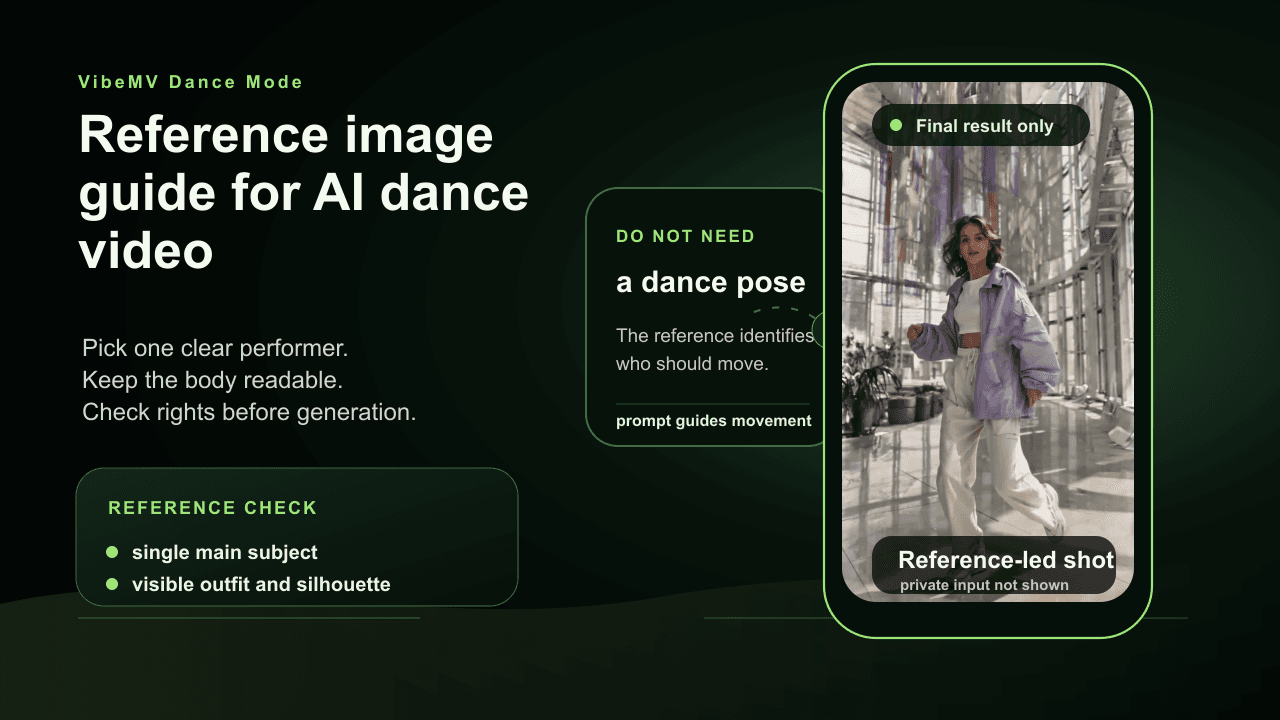
AI Dance Video Reference Image Guide: Photo-to-Dance Prep
Prepare a photo or image for VibeMV Dance Mode with one clear performer, readable body shape, rights-safe source material, framing checks, rejection risks, and prompt tips.