![AI Dance Video for TikTok, Reels, and Shorts: Hook Workflow [2026]](/_next/image?url=%2Fimages%2Fblog%2Fai-dance-video-for-tiktok-reels-shorts.png&w=3840&q=75 "AI Dance Video for TikTok, Reels, and Shorts: Hook Workflow [2026]")
This guide is for short-form Dance hooks, not platform algorithm guarantees. Check each platform's current publishing rules before a campaign.
The Short Answer: Make One 9:16 Dance Hook
For TikTok, Reels, or Shorts, treat the AI dance video as one phone-first hook, not the whole song. Pick a chorus, drop, or repeated lyric, generate a 4-10 second 9:16 Dance Mode shot from one clear performer reference, check the first two seconds on a phone, then post or cross-post only after rights review.
The goal is a hook asset that can point viewers back to the full video, artist profile, streaming release, or campaign page.
Which guide should you read next? For the full Dance workflow, read How to Make an AI Dance Music Video. For product fit and limits, read AI Dance Video Generator. For general TikTok music videos, read AI Music Video Generator for TikTok.
Social Dance Hook Facts
| Decision | Practical rule |
|---|---|
| Song moment | Use a chorus, drop, hook, transition, or repeated lyric |
| Aspect ratio | Use 9:16 for important social clips |
| Subject | One clear performer or character |
| Dance duration | VibeMV Dance Mode supports 4-10 second Dance segments |
| Cost | 12 credits per generated second |
| Output | Review 720p native Dance output before optional downstream edits |
| Best use | Short social hooks, teasers, and music-video cutdowns |
| Avoid | Viral promises, exact choreography, celebrity likeness, and unapproved real-person references |
Step 1: Pick A Danceable Moment
A social Dance clip should make one moment easier to share.
Good choices:
- chorus line with repeated words
- beat drop or tempo change
- hook where the rhythm is obvious without explanation
- final teaser that points to the full video
Poor choices:
- a verse where the vocal message matters more than movement
- a crowded concept where the main dancer is unclear
- a routine that must exactly match real choreography
Step 2: Compose For A Phone Screen
Vertical clips need simple readability.
Use:
- centered performer
- clean background
- full-body or waist-up framing based on the movement
- motion that begins early
- no important visual details near platform UI edges
Avoid:
- tiny dancer in a wide scene
- multiple competing subjects
- dark references where body shape is unclear
Step 3: Choose The Right Social Asset Type
| Asset | Best mode | Use when |
|---|---|---|
| Dance hook | Dance Mode | Choreographed movement is the main hook |
| Vocal hook | Lip-sync mode | The lyric, mouth timing, or singer performance carries the clip |
| Beat clip | Scene | Rhythm, scene motion, color, or abstract visuals matter most |
| Full-release teaser | Mixed workflow | The clip should preview the broader MV |
| Spotify Canvas-style loop | Lightweight loop or visualizer | You need a short looping visual rather than a full Dance shot |
For non-Dance social assets, compare the best AI platform for music videos on social media.
Step 4: Budget And Review A Small Variation Set
For Dance Mode, budget from 12 credits per generated second.
| Test plan | Approximate credits | Why it helps |
|---|---|---|
| One 5-second movement test | 60 credits | Checks whether the reference and direction work |
| One 10-second hook | 120 credits | Better for a complete chorus or drop moment |
| Two 5-second alternatives | 120 credits | Good for testing style or framing before a longer shot |
Do not spend the whole budget on one long version before testing the reference, framing, and motion style.
For full credit planning, read AI Dance Video Pricing and Credit Budget.
Review the clip on a phone, not only on a desktop monitor.
Check:
- Can the viewer understand the movement in the first two seconds?
- Is the performer large enough on screen?
- Does the movement match the song's energy?
- Are there visual artifacts that distract from the hook?
- Does the clip avoid unapproved likeness, logos, or copyrighted visuals?
Step 5: Cross-Post Carefully
TikTok, Reels, and Shorts are all vertical platforms, but they are not identical. Upload a clean export separately when possible. Avoid reposting watermarked files. Check caption, audio, safe-zone, monetization, and rights rules before a campaign.
Use one Dance hook as part of a broader release path:
- full MV on YouTube
- artist profile or streaming link
- lyric clip or Canvas loop
- follow-up version with a different hook
Social Dance FAQ
Can I make an AI dance video for TikTok, Reels, and Shorts?
Yes, if the asset is a short 9:16 hook, drop, or danceable moment from a finished song. In VibeMV, Dance Mode works best with one clear performer or character reference, not as a promise of reach or full-song choreography.
How long should an AI dance social clip be?
Start with one short musical moment rather than the whole song. For VibeMV Dance Mode, plan 4-10 second Dance shots, then post the shot alone, combine it with other sections, or use it as a full-MV teaser.
Should I crop a 16:9 Dance shot into a vertical clip?
Only crop if the performer, face, body movement, and hook remain readable in the center of the frame. For important TikTok, Reels, or Shorts assets, generate or plan in 9:16 so the movement and subject size are built for a phone screen.
Can AI guarantee a viral dance video?
No. AI can help create more testable dance hooks, but reach depends on the song, hook, audience, timing, caption, platform behavior, rights, and follow-up distribution.
How much does a VibeMV AI dance social hook cost?
Dance Mode uses 12 credits per generated second. A 5-second Dance hook is about 60 credits, and a 10-second Dance hook is about 120 credits.
Next Step
Use AI Dance Video Generator for the Dance product hub. Use AI Music Video for YouTube when the social hook should connect to a full YouTube release.
More Posts
![AI Dance Video Pricing and Credit Budget: VibeMV Dance Mode [2026]](/_next/image?url=%2Fimages%2Fblog%2Fai-dance-video-pricing-and-credit-budget.png&w=3840&q=75 "AI Dance Video Pricing and Credit Budget: VibeMV Dance Mode [2026]")
AI Dance Video Pricing and Credit Budget: VibeMV Dance Mode [2026]
Plan AI dance video cost with VibeMV Dance Mode credit math, 12 credits per generated second, a 4-10 second shot range, 5/10-second budget examples, full-MV add-ons, commercial-use boundaries, and test strategy.
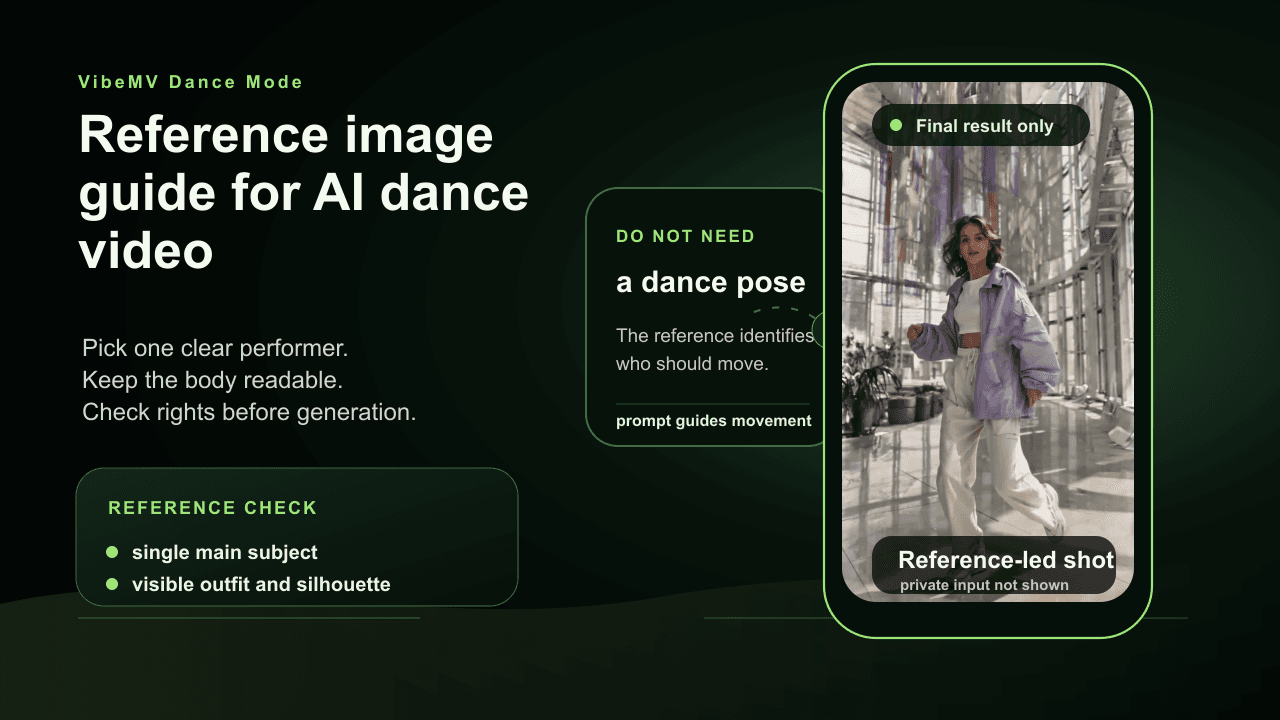
AI Dance Video Reference Image Guide: Photo-to-Dance Prep
Prepare a photo or image for VibeMV Dance Mode with one clear performer, readable body shape, rights-safe source material, framing checks, rejection risks, and prompt tips.
![How to Make an AI Dance Music Video: Per-Shot Workflow [2026]](/_next/image?url=%2Fimages%2Fblog%2Fhow-to-make-ai-dance-music-video.png&w=3840&q=75 "How to Make an AI Dance Music Video: Per-Shot Workflow [2026]")
How to Make an AI Dance Music Video: Per-Shot Workflow [2026]
Learn how to make an AI dance music video from a finished song: choose the hook, prepare one performer reference, budget Dance Mode credits, generate a short shot, review rights, and assemble the MV.